English
 Arabic
 French
 Spanish
 Portuguese
 Deutsch
 Turkish
 Dutch
 Italiano
 Russian
 Romaian
 Portuguese (Brazil)
 Greek

How 6PM Complements Comme des Garcons Style
Shopping |
2026-10-26 08:23:48
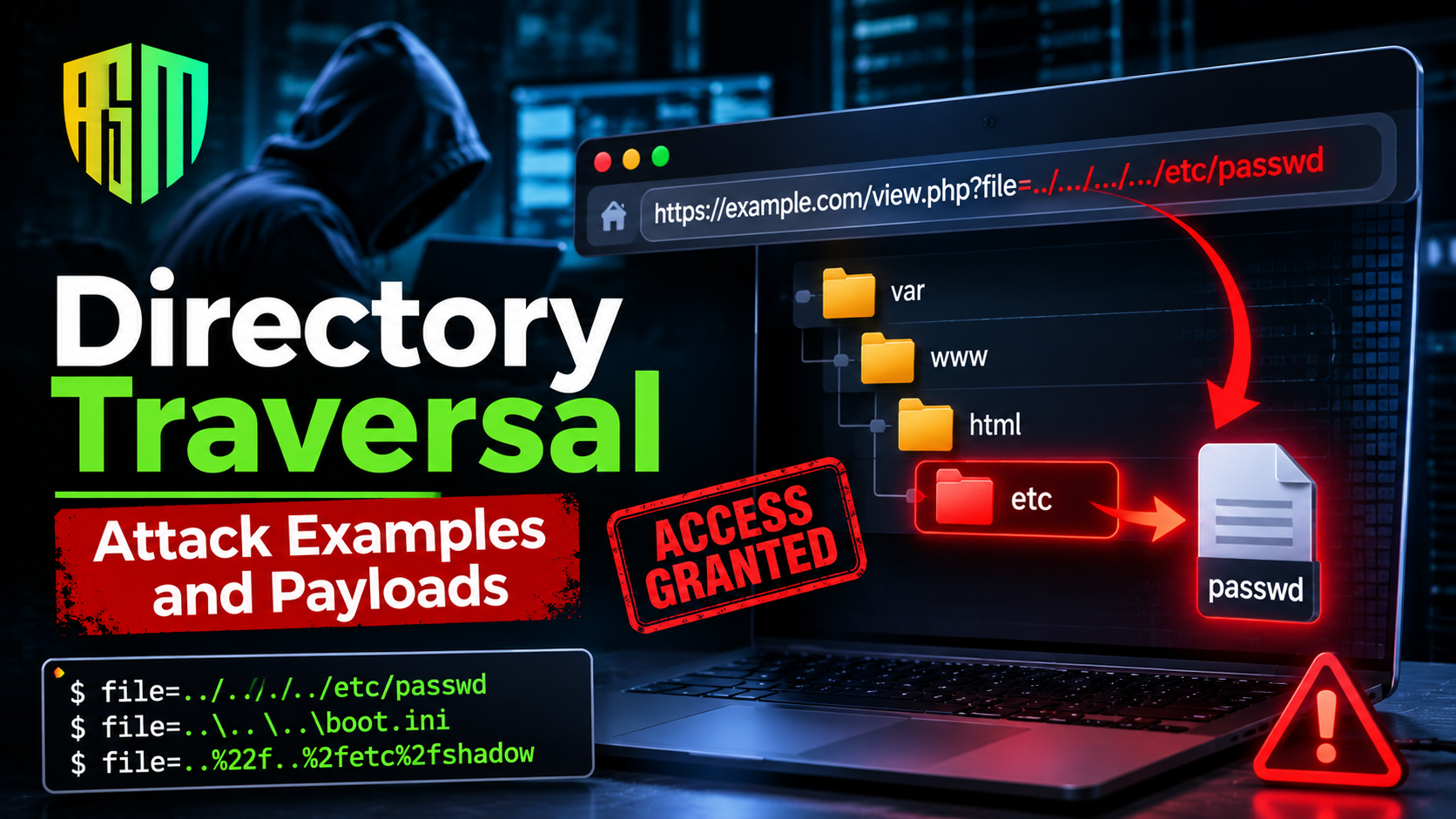
A directory traversal attack manipulates a file path parameter so the server reads or writes files outside its intended folder. Common realworld patterns include download endpoints, image and template loaders, language or page selectors, archive extraction (Zip Slip) and upload filenames. Payloads range from plain ../../etc/passwd to encoded, nested and absolutepath variants that evade weak filters. Every example below ends with the same root cause the application never verified that the resolved path stayed inside an approved directory.
This article is the attacker's companion to a beginner's explanation. Rather than defining the flaw again, it walks through the concrete places where a path traversal exploit appears and shows what each payload does, why it works and what the defender should notice. All payloads use reserved example hosts and standard proof files and they belong only in systems you own or have written permission to test.If you need the fundamentals first, the dedicated path traversal vulnerability guide covers definitions and terminology. Here, the goal is pattern recognition. Once you have seen the same mistake in six different disguises, you start spotting it in code reviews and test targets within minutes.
Every traversal exploit depends on three facts
The application builds a path using input that the requester controls.
The operating system interprets .. as parent directory and normalizes the path before opening it.
No code compares the final location against an allowed base folder.
When those three conditions line up, the attacker job is just to find the right number of climbs and the right target file. The examples below show different ways the conditions appear.
The most familiar pattern is a download feature
The concatenated string becomes /var/app/invoices/../../../etc/passwd, which the operating system collapses to /etc/passwd. The response now contains the user list. The proof file is harmless on its own, but it confirms read access and the attacker next requests application configuration or key files.
What to notice the endpoint returns raw file bytes based on a usersupplied name. Any download by filename feature deserves immediate scrutiny. The pattern is explained in the article on command injection vulnerability.
Applications that resize or proxy images often accept a path
GET /image?src=avatars/user42.png
Developers assume the value will always be an image path, so they skip validation. An attacker tries
GET /image?src=../../../../app/config/database.yml
The server may return an error like not a valid image but the error itself can leak details and some loaders return the file bytes without checking the type. Even when the output is not displayed, differences in response size, timing, or error text act as an oracle that confirms the file exists. This is called blind traversal and it still enables enumeration of the file system.
What to notice file extension checks on the input string can be defeated, while checks on the resolved path and content are far stronger.
Many applications choose a template or language with a parameter
GET /index.php?page=about
GET /portal?lang=en
Behind this, the code includes a file such as pages/about.php or locales/en.json. If the value is appended to a path and then included instead of merely read, the flaw becomes a Local File Inclusion issue. Attackers use traversal to reach files outside the template folder
GET /index.php?page=../../../../var/log/app/access.log
Reading the log is the first win. The second, more dangerous step is log poisoning. If the attacker can place codelike content in a log entry, for example through the UserAgent header and the include function executes that log, the result is code execution. The traversal bug supplied the reach and the inclusion behavior supplied the impact.This only works when the runtime allows remote includes, which modern defaults disable. Still, you will meet legacy systems where it is enabled, so testers should try it where it is safe and in scope.
What to notice parameters named page, lang, view, template, include and module are prime LFI suspects. For contrast with how script injection behaves in the browser, see this breakdown of reflected crosssite scripting analysis and prevention.
Not every traversal comes through a URL parameter. When an application extracts an uploaded archive, each entryname is a path. If the extraction code joins the destination folder with the entry name and writes the file without checking where it lands, the attacker writes an arbitrary file outside the extraction directory. This pattern, widely documented in 2018 under the name Zip Slip, affected libraries and applications across multiple languages and turned a simple upload into potential remote code execution.
What to notice writebased traversal is generally more severe than readbased traversal. It can overwrite configuration, drop executable content in a webaccessible folder, or replace scheduled scripts.
File upload forms send the original filename in the multipart request. If the server saves the file under that name without then the file may land in a different directory than intended. Combined with weak extension checks, an attacker can plant a script or overwrite an existing page. Safe designs ignore the client supplied name entirely and store uploads under random identifiers, keeping the original name only as metadata.
Sometimes the vulnerable input is not a query parameter but the URL path itself. A web server or framework maps /static/<path> to a folder. If the mapping mishandles encoded dots or slashes, the request
GET /static/%2e%2e/%2e%2e/etc/passwd
or a variant using mixed encodings can escape the static root. A famous example is the 2021 Apache HTTP Server flaw tracked as CVE202141773, where a changed path normalization routine failed to treat certain encoded dot sequences as traversal. The initial fix was found incomplete, leading to a second identifier, CVE202142013. The episode shows that even mature infrastructure software can fail at normalization and that application developers should never assume the server in front of them handles it perfectly.
What to notice URL path manipulation targets the router or file server rather than your own business code, so it requires patching and configuration review, not just code changes.
Modern APIs often include names in the route, such as /api/reports/{name} or /api/themes/{theme}/css. Frameworks decode path parameters before handing them to your code, so an encoded slash may arrive as a real slash. If a handler passes {name} to a file API, the same traversal becomes possible even though the interface looks nothing like the classic download link. Because these flaws involve object references, reviewers should also be comfortable with related access control problems, such as those explained in this guide to preventing insecure direct object references.
Developers frequently add a quick filter after hearing about this vulnerability and attackers answer with variants. The table below summarizes the most common ones.
|
Technique |
Example payload |
Why it works |
|
Plain relative |
../../etc/passwd |
No filtering at all |
|
Backslash |
..\..\windows\win.ini |
Windows and some frameworks accept \ as a separator |
|
URL encoding |
%2e%2e%2f%2e%2e%2fetc%2fpasswd |
Filter checks raw string before decoding |
|
Double encoding |
%252e%252e%252f |
Input is decoded twice by different layers |
|
Nested sequence |
....//....//etc/passwd |
Filter strips ../ once, leaving a new ../ |
|
Absolute path |
/etc/passwd |
Input replaces rather than appends to the base |
|
Extension padding |
../../etc/passwd%00.png |
Null byte truncates the forced suffix in older runtimes |
|
Mixed separators |
..%5c..%5cwin.ini |
Encoded backslash survives a slash only check |
|
Drive path (Windows) |
C\boot.ini |
Absolute Windows path ignores the base folder |
Every row in that table represents a stringmatching defense that failed. None of these payloads bypasses a check that works on the resolved path, which is why defensive guidance focuses on canonicalization.
Proof files such as /etc/passwd are only the opening move. A realistic attacker sequence looks like this
Confirm access with a harmless system file.
Map the application by reading files that reveal its layout, such as process information, startup scripts, or framework configuration.
Harvest secrets from environment files, database configuration, private keys and cloud credentials.
Read source code to discover hidden routes and further bugs. Understanding how reviewers find these weaknesses from the defensive side is the subject of this secure code review guide.
Pivot using stolen credentials to databases, internal APIs, or administrative panels.
This chain explains why severity ratings for traversal flaws vary so widely. A bug that can read only a public folder is low risk. A bug running with broad file permissions can be critical.
Traversal is rarely the whole story. Skilled attackers combine it with other flaws
With command injection reading source code reveals a place where input reaches a shell.
With weak access control reading session files or tokens can lead to impersonation.
With crosssite scripting, writing an attacker controlled file into a webaccessible directory can create stored script content.
With insecure generated code assistants sometimes produce filehandling snippets that join paths naively. The review habits in this guide on how to review AIgenerated code help catch those before they ship.
Defenders do not need to see the payload succeed to know someone is probing. Typical signs in web server and application logs include
Repeated requests with ../, ..%2f, %2e%2e, or ..\ in query strings and paths.
Requests that reference wellknown files like etc/passwd, win.ini, .env, or id_rsa.
A burst of 400, 403, 404 and 500 responses from a single address against one endpoint, followed by a 200 with an unusually large or odd response size.
Parameter values that look like paths on parameters that normally hold simple words or identifiers.
A simple alert rule that flags these tokens will not stop skilled attackers, but it provides early warning and makes incident response much faster. Automated tools complement this; the overview of application security scanning describes how scanners probe for these same patterns and what they tend to miss.
Traversal behaves differently depending on the platform and attackers adapt their payloads accordingly.
On Unixlike systems, the separator is a forward slash, file names are case sensitive and /etc/passwd is the classic proof file. Symbolic links can also redirect a seemingly safe path to a forbidden location, so a path that stays inside the base folder as written may still escape once links are followed.
On Windows, both forward slashes and backslashes act as separators, file names are case insensitive and absolute paths begin with a drive letter such as C\. Windows also supports special names, alternate data streams and short 8.3 file names, which occasionally let a payload slip past a filter written for ordinary names. Trailing dots and spaces in file names are silently dropped by some Windows APIs, so win.ini. and win.ini can refer to the same file.
Framework behavior adds another variable. Some frameworks decode the URL path before routing, some normalize repeated slashes and some treat ; path parameters specially. A payload that fails against one stack may succeed on another purely because of how the request is parsed. This is why testers should identify the technology in use and tailor payloads to it instead of reusing one list everywhere.
Reading about payloads is useful, but the skill comes from trying them against deliberately vulnerable targets. A lab lets you change the number of climbs, switch encodings and see exactly which filter fails. Always keep a written scope and authorization, even for practice outside dedicated labs. For a broader view of where this flaw ranks among major risks, read the overview of OWASP Top 10 web application security.
Directory traversal attacks look different on the surface, whether through a download link, an image loader, a template selector, an archive, or a URL path, but the underlying mistake is identical untrusted input shapes a file path and nothing confirms where that path really ends up. The payload tricks, from encodings to nested sequences, exist only to defeat checks that examine strings instead of resolved locations.Use the seven examples here as a pattern library. When you review code or test an application, ask a single question at every file operation: could a user influence this path and what verifies the final location? If the answer is nothing, you have found the flaw before an attacker does.You can explore guided environments through AppSecMaster and when you move on to structured assessment work, the OWASP Web Security Testing Guide explains how to document and repeat these checks professionally.
A user requests /download?file=../../../etc/passwd on a site that appends the filename to a base folder. The server resolves the path to /etc/passwd and returns it, exposing system information. The same idea works through image loaders, template selectors, upload filenames and archive extraction.
The sequence ../ tells the operating system to move one directory up. Repeating it climbs several levels until the path reaches a directory that contains the target file. Extra sequences are harmless because the root directoryparent is the root itself.
They change how the payload is written without changing what it means after decoding. Common methods include URL and double encoding, nested sequences like ....//, backslashes, absolute paths and null bytes in older runtimes. Filters that match strings fail against these, while checks on the resolved path hold.
Yes, in several situations. Writebased traversal such as Zip Slip can place executable files in a webaccessible folder and local file inclusion can execute code from poisoned logs or uploaded files. Readonly traversal can also lead to code execution indirectly by leaking credentials or keys.
Look for ../, encoded dot sequences and references to sensitive filenames in query strings, paths and headers. A cluster of error responses from one source on a single endpoint, followed by an unusually large successful response, is a strong signal worth investigating.