English
 Arabic
 French
 Spanish
 Portuguese
 Deutsch
 Turkish
 Dutch
 Italiano
 Russian
 Romaian
 Portuguese (Brazil)
 Greek
Healthcare Infrastructure Expansion Boosting Pharmerging Market Revenue
Health |
2026-11-05 08:24:52
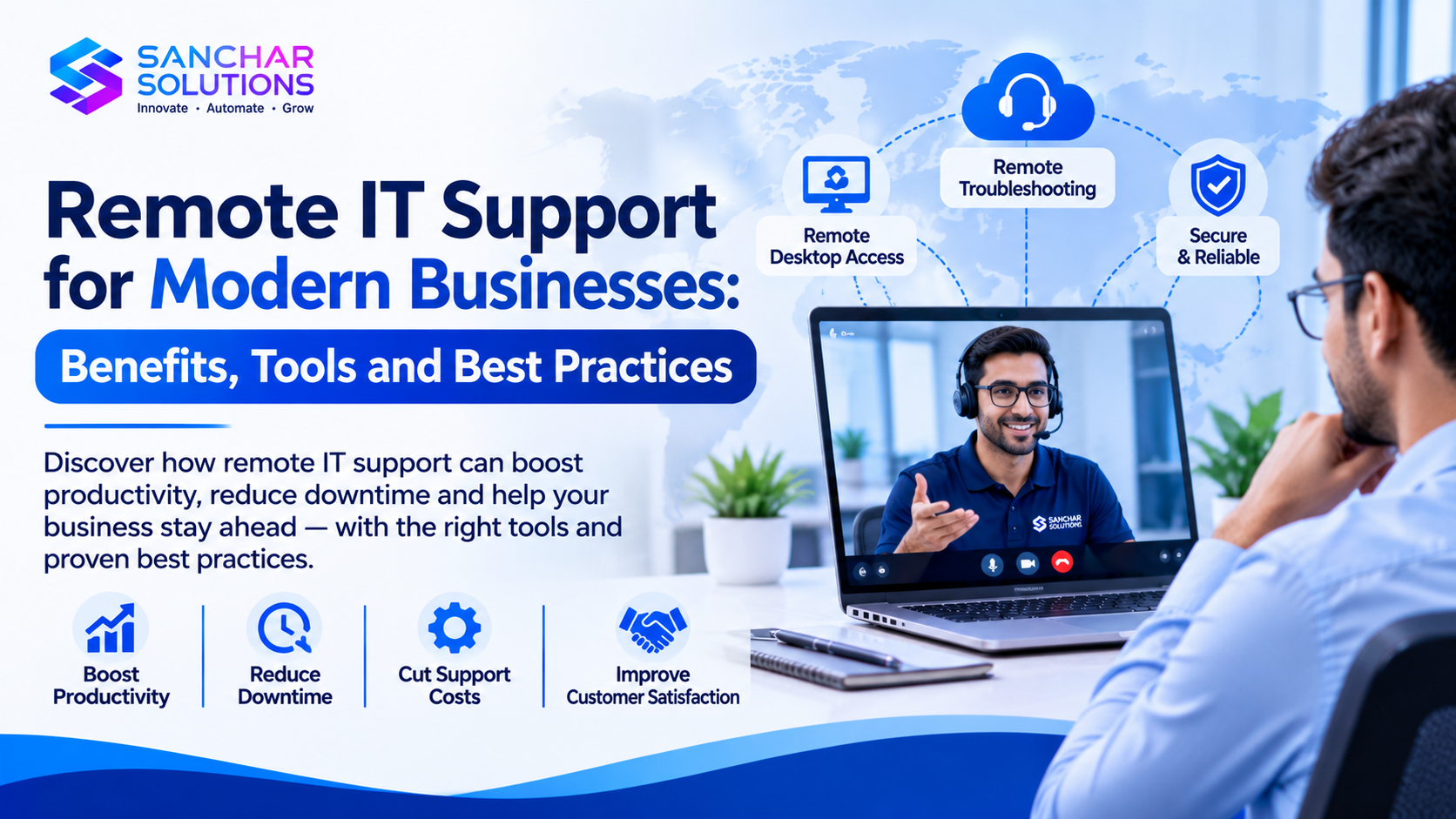
Technology has become part of almost every business operation. Employees use computers to communicate with customers, manage projects, process information and complete everyday tasks. When a computer stops working or an application develops a problem, even a small technical issue can interrupt an entire workflow.
For businesses with employees working from different locations, providing timely technical assistance can be even more challenging. An IT professional cannot always visit every employee's workplace whenever a problem occurs. This is one reason why remote IT support has become an important part of modern business operations.
Remote IT support allows authorised technicians to access computers, troubleshoot problems and guide users through technical issues using an internet connection. When supported by the right tools and processes, it can help businesses save time, coordinate teams and maintain smoother operations.
Remote IT support is a way of providing technical assistance without requiring the technician and the user to be in the same physical location. Using specialised software, an authorised support professional can connect to a computer and help resolve certain technical problems remotely.
For example, imagine an employee working from home who cannot open an important business application. Instead of waiting for an onsite technician, the employee can contact the IT team. With the required permission, the technician can connect remotely, investigate the issue and provide assistance.
Depending on the software, remote IT support tools may offer:
Remote computer access and control
Live communication with users
Troubleshooting for supported software issues
Assistance for employees in different locations
Individual team member accounts
Support activity and team management features
Remote access should always follow appropriate security procedures, user consent requirements and company policies.
Businesses increasingly depend on digital tools, but technical problems do not always happen during convenient working hours or at a convenient location. A reliable support process helps employees get assistance without unnecessary disruption.
A delayed response to a technical issue can affect employee productivity. If a team member cannot access an application or configure a required setting, important work may remain unfinished.
Remote support allows an authorised technician to investigate suitable problems online. This can reduce the time spent arranging physical visits and help employees return to their tasks sooner.
Companies with remote or hybrid teams often have employees working from different cities, offices or countries. Providing technical assistance to everyone through onsite visits is not always practical.
Remote IT support gives support teams a way to assist employees across locations, provided the devices are connected and the required permissions are available.
IT professionals frequently handle similar requests, such as application errors, configuration questions and access problems. A structured remote support process can make these tasks easier to manage.
It also allows technicians to spend less time travelling for issues that can be resolved online and more time focusing on complex technical requirements.
When multiple technicians handle support requests, managers need a clear understanding of team responsibilities and daily activities.
Using suitable management tools can help businesses organise support work and maintain better visibility into team operations.
IT service providers and agencies often support computers and systems belonging to different clients. Remote assistance can make it easier to investigate supported issues without arranging an immediate physical visit.
This can improve the convenience of technical support for both service providers and their customers.
Choosing remote IT support software should begin with understanding how your team works. A small business may need basic remote access, while an IT service provider may require additional communication and team management features.
Here are some useful capabilities to evaluate.
Remote access is one of the most important features. It allows authorised technicians to connect to another computer and assist the user.
Before selecting a platform, check how connections are established, what permissions are required and whether users can control or end a session.
Technical problems are easier to understand when the user and technician can communicate clearly.
Live chat can help users explain what they are experiencing while the technician provides instructions or works on the issue. It can also reduce misunderstandings during a support session.
Every technician should have their own login credentials. Shared accounts make it harder to manage access and identify who used a system.
Individual accounts support better accountability and allow businesses to manage team access more responsibly.
A browser-based dashboard can make remote support more convenient because technicians may be able to use the platform through a supported web browser.
Businesses should still check browser compatibility, device requirements and any software needed on the computers being accessed.
For organisations with dedicated support teams, attendance management is another useful consideration.
Keeping team attendance information alongside other operational activities may reduce the need to switch between separate applications.
Remote access involves direct interaction with computers and business information. Therefore, security should never be treated as an optional feature.
Look for appropriate authentication, individual accounts, permission controls and clear procedures for approving remote sessions. Businesses should also review how access is recorded and managed.
Remote and onsite support are not competing solutions. Both are useful, but they address different types of technical problems.
| Comparison | Remote IT Support | Onsite IT Support |
|---|---|---|
| Location | Provided online | Provided at the physical location |
| Software troubleshooting | Suitable for many issues | Suitable |
| Hardware replacement | Usually not possible remotely | Can be handled physically |
| Travel | Often unnecessary | Usually required |
| Employee assistance | Can support distributed teams | Best for people at the service location |
| Physical installation | Limited | Suitable |
| Best use | Remote troubleshooting and guidance | Hardware repairs and physical setup |
For many businesses, a combination of both approaches works best. Remote support can handle suitable software problems, while onsite technicians can manage hardware replacement, equipment installation and other physical tasks.
The right software should solve a real business problem rather than introduce unnecessary complexity. Before purchasing or implementing a solution, consider the following points.
Understand your team's requirements: Identify how many employees and computers need support, how frequently issues occur and what types of assistance are required.
Check usability: Technicians and employees should be able to understand the interface without extensive training. A complicated tool can slow down the support process.
Review security: Check authentication methods, user permissions and session controls. Make sure the solution fits your organisation's security policies.
Evaluate device compatibility: Confirm that the platform supports the browsers, operating systems and devices your team uses.
Consider communication features: Live chat and clear communication options can make technical assistance easier for users and technicians.
Compare the overall cost: Review subscription charges, usage limits, available features and support arrangements. Choose a solution based on its practical value rather than the number of features advertised.
Businesses that want to bring remote assistance and team activities together can explore tools designed for these requirements.
Myamoto Remote Support by Sanchar Solutions is designed to help support teams access computers remotely, communicate with users through live chat and manage daily team attendance.
Its listed capabilities include:
Remote access: Connect to and control computers through a browser.
Live chat: Communicate with the person receiving assistance.
Attendance management: Keep daily team attendance within the same application.
Individual sign-in: Each team member has their own login.
Web dashboard: The support team can use the platform through a browser.
Device accessibility: The product is listed as available on web, phone and tablet.
These features may be relevant to IT support teams, businesses with remote employees, service and maintenance companies, and agencies managing client systems.
Organisations should review the product's current functionality and confirm that it meets their specific technical, security and operational requirements before adopting it.
Remote support software is one part of a wider IT management strategy. Businesses also need to maintain their networks, update systems, manage endpoints and respond to security concerns.
For organisations that require ongoing technical assistance, managed IT services can provide a more structured approach to IT support, monitoring and maintenance.
Security also deserves attention. Remote access should be protected through suitable authentication, permission management, software updates and employee awareness. Businesses can explore professional cybersecurity services when they need help assessing and improving their wider security practices.
The objective is not simply to connect to computers remotely. It is to build a support environment where employees can work confidently and business systems remain properly managed.
Even the best software cannot replace a well-organised support process. Businesses should establish a few basic practices to make remote assistance effective.
Create clear access policies: Decide who can access company computers and when remote sessions are permitted.
Train employees: Explain how to request assistance and verify that they are communicating with authorised support staff.
Use individual accounts: Avoid sharing passwords between technicians.
Document common issues: Maintain a record of recurring problems and their solutions.
Keep software updated: Apply relevant operating system, browser and security updates.
Review support performance: Monitor response times, recurring problems and employee feedback to identify areas for improvement.
These steps can help businesses create a more consistent and responsible support process.
Remote IT support has become a practical option for businesses that depend on computers and digital systems every day. It allows authorised technicians to assist employees across different locations, troubleshoot supported problems and reduce the need for physical visits when they are unnecessary.
However, successful remote support requires more than software. Businesses need clear access policies, suitable security controls, trained technicians and a process for handling issues that cannot be resolved remotely.
By choosing tools that match their actual requirements and combining them with good IT management practices, businesses can create a more organised and responsive support environment.
Remote IT support is the process of providing technical assistance to users through an internet connection. It allows authorised technicians to access computers remotely and troubleshoot supported issues without being physically present.
A user contacts the support team and provides the necessary permission for a remote session. The technician connects through compatible software, investigates the problem and provides assistance according to the available access permissions.
Yes. Small businesses can use remote support to assist employees, resolve common technical issues and reduce unnecessary onsite visits. The selected solution should match the company's size and requirements.
Some remote support platforms allow authorised technicians to view and control another computer. The exact capabilities depend on the software, operating system and permissions granted by the user.
It can be used responsibly when appropriate security measures are in place. Businesses should use individual accounts, strong authentication, access permissions and clear approval procedures for remote sessions.
Yes. Remote support can help employees working from home or other locations with supported computer and software issues, provided they have suitable connectivity and authorised access.
Remote support focuses on providing technical assistance from a distance. Managed IT services cover a wider range of ongoing responsibilities, which may include monitoring, maintenance, help desk support, network management and security updates.
No, not completely. Remote assistance is useful for many software and configuration problems, but hardware replacement, physical installations and certain network issues still require onsite work.
Important features include remote computer access, live communication, individual user accounts, a convenient dashboard, device compatibility and suitable security controls.
Start by identifying common technical problems and the number of users who need assistance. Compare suitable tools, review their security features, test the solution with a small group and establish clear support procedures before wider adoption.