English
 Arabic
 French
 Spanish
 Portuguese
 Deutsch
 Turkish
 Dutch
Dutch
 Italiano
 Russian
 Romaian
 Portuguese (Brazil)
 Greek
Greek

Legacy Roofing: How a Free Roof Inspection Helps Protect Your Home and Prevent Costly Repairs
Other |
2026-09-28 15:22:23
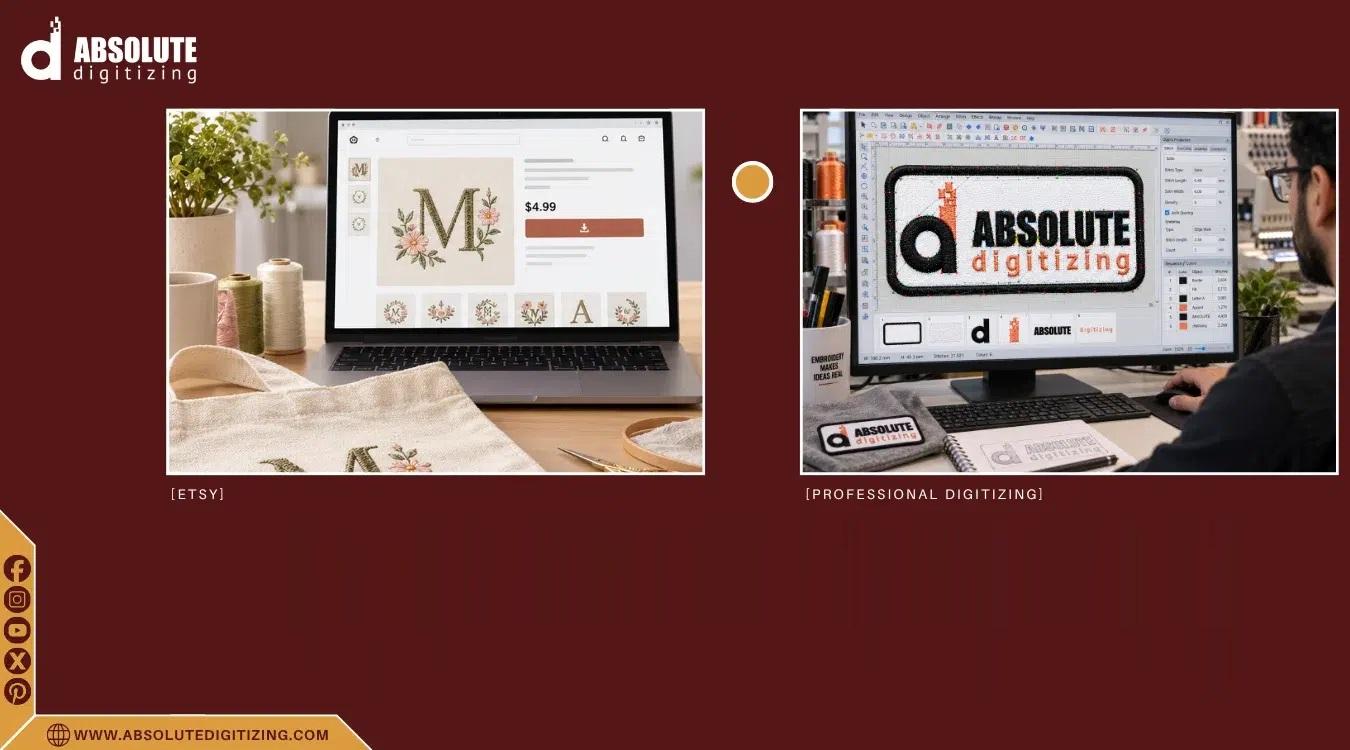
Selling embroidery designs on Etsy can be exciting, but a great-looking graphic is only the beginning. If the design is not properly digitized, the final stitches may look uneven, dense, or completely different from the original artwork.
That is why Etsy embroidery digitizing is so important for sellers who want to offer reliable, machine-ready embroidery designs. Proper digitizing turns artwork into carefully planned stitches that an embroidery machine can understand and sew correctly.
Whether you sell finished embroidered products or downloadable embroidery files, understanding the digitizing process can help you create better designs, reduce production problems, and improve customer satisfaction.
Etsy embroidery digitizing is the process of converting artwork, logos, lettering, or illustrations into a digital embroidery file that can be read by an embroidery machine.
Unlike a normal image file, an embroidery design contains instructions for:
The digitizer must decide how each part of the artwork should be stitched.
Think of it like turning a drawing into a sewing roadmap. The image shows what the finished design should look like, while the embroidery file tells the machine exactly how to build it with thread.
Etsy customers expect their purchased designs or embroidered products to work properly. A poor-quality embroidery file can quickly lead to complaints, refunds, and negative reviews.
Good digitizing helps you achieve:
Proper stitch placement creates smoother shapes, cleaner edges, and better overall detail.
Different fabrics behave differently during embroidery. A design that works well on a firm fabric may need adjustments when stitched on a stretchy shirt or soft towel.
Correct stitch density, underlay, and sequencing can help reduce thread breaks, puckering, gaps, and unnecessary trims.
If you sell downloadable files, customers need designs that are easy to use with compatible embroidery machines.
A well-prepared file can make the entire process easier for the buyer.
Professional digitizing usually involves several steps. Each one affects the final embroidery quality.
The process starts with a suitable image.
The artwork should be clear enough for the digitizer to identify important shapes, lettering, and color areas.
Common source files include:
A clean vector file can be especially helpful, but experienced digitizers can also work from raster images.
Before creating stitches, the artwork should be examined carefully.
The digitizer considers the design size, fabric type, level of detail, thread colors, and intended use.
For example, tiny lettering may look perfect on a computer screen but become unreadable when stitched at a small size.
Different parts of a design require different stitch structures.
Common embroidery stitches include:
Satin stitches: Often used for borders, lettering, and narrow shapes.
Fill stitches: Useful for covering larger areas.
Running stitches: Suitable for outlines, fine details, and delicate lines.
Choosing the right stitch type helps the design maintain its intended appearance.
Stitch density determines how closely stitches are placed together.
Too many stitches can make the design stiff and create unnecessary thread buildup. Too few can leave gaps or make the artwork look weak.
A skilled digitizer balances coverage and flexibility based on the design and fabric.
Underlay stitches provide a foundation beneath the visible stitches.
They can help stabilize the fabric and support the top stitching.
The correct underlay depends on factors such as fabric type, design size, and stitch structure.
Stitch direction affects the texture and appearance of embroidery.
The stitch sequence also matters because poorly planned sequencing can increase trims, color changes, or registration problems.
A thoughtful sequence helps the machine move efficiently while maintaining the design's shape.
A professional embroidery file should ideally be tested before being considered finished.
Testing can reveal issues such as:
The design can then be adjusted before being delivered to a customer.
Not every artwork makes a good embroidery design.
When creating products or digital files for Etsy, consider designs that have clear shapes and details that can realistically be stitched.
Popular categories can include:
The important point is to design for embroidery rather than simply copying a digital image.
One of the biggest mistakes beginners make is trying to preserve every tiny detail from the original artwork.
Embroidery is not the same as printing.
A very thin line may disappear. Small text may become difficult to read. Tiny shapes may merge together after stitching.
Before digitizing, ask:
Will this detail still be visible when made with thread?
If the answer is no, simplifying the artwork may produce a much better result.
Even attractive artwork can produce poor embroidery when the file is not properly prepared.
More stitches do not automatically mean better quality.
Excessive stitching can increase production time, thread consumption, and fabric stress.
A design intended for denim may require different settings from one intended for a stretchy T-shirt.
Fabric affects how stitches behave.
Tiny lettering is one of the most challenging elements in embroidery.
Use suitable fonts and avoid overly complicated characters when working at small sizes.
A design may look perfect in digitizing software but behave differently on an actual machine.
Test stitching is an important quality-control step.
Thread colors should be selected with the final product in mind. Similar shades can become difficult to distinguish when stitched closely together.
If you plan to sell downloadable embroidery files, preparation should go beyond creating one machine file.
Consider providing customers with:
Popular embroidery formats can include PES, DST, JEF, EXP, VP3, HUS, and others, depending on the customer's machine.
Always make sure the files you provide are properly tested and correctly labeled.
Custom embroidery can be a strong opportunity for Etsy sellers.
Customers may send a logo, name, drawing, pet image, or other artwork and ask for it to be transformed into an embroidery design.
A clear workflow makes these orders easier to manage.
Before starting, confirm:
This information helps the digitizer make better decisions from the beginning.
Not every image can be reproduced exactly with thread.
Explain that embroidery may require simplifying small details, adjusting colors, or changing certain elements so the design stitches properly.
Clear communication can prevent misunderstandings later.
If you are building an embroidery business on Etsy, quality should be part of your product strategy.
Here are some practical tips:
A reliable embroidery file can become a much stronger selling point than simply having a large design collection.
You can digitize designs yourself if you have the right software, knowledge, and time. However, professional help can be useful when quality and consistency are important.
Professional digitizing may be worth considering when:
Absolute Digitizing can help transform artwork into embroidery-ready designs with attention to stitch structure, fabric behavior, sizing, and overall production quality.
Before uploading an embroidery design to Etsy, check the following:
Taking a few extra minutes to review the file can prevent many customer issues.
Etsy embroidery digitizing is the process of converting artwork into a machine-readable embroidery file that can be stitched onto fabric and sold or used for Etsy products.
Common formats include PES, DST, JEF, EXP, VP3, and HUS. The required format depends on the customer's embroidery machine.
Most images can be adapted, but not every detail can be reproduced exactly. Complex artwork may need simplification so it can stitch cleanly.
Pricing varies according to design complexity, size, stitch count, number of colors, and turnaround requirements. Simple designs generally require less work than detailed artwork.
Yes. Test stitching can reveal problems that are not obvious on a computer screen, including thread breaks, gaps, puckering, and poor registration.
Successful Etsy embroidery digitizing is about much more than converting an image into stitches. It requires careful decisions about stitch types, density, sequencing, underlay, colors, sizing, and fabric.
For Etsy sellers, investing in properly digitized designs can lead to better products, fewer production problems, and happier customers.
Whether you create downloadable embroidery files or sell finished embroidered products, always remember one simple rule: design for the needle, not just the screen. When artwork is planned around the way thread behaves, the final result is far more likely to look clean, balanced, and professional.